
The product, ungated.
No form in front of it. Walk the five workflows that carry most of the weight in a working EHS programme, from a worker filing a hazard on their phone to the scheduled report that lands before the Monday meeting.
Every module, one screen at a time
Live screenshots from a HaloEHS demo workspace. Personal details are blurred.
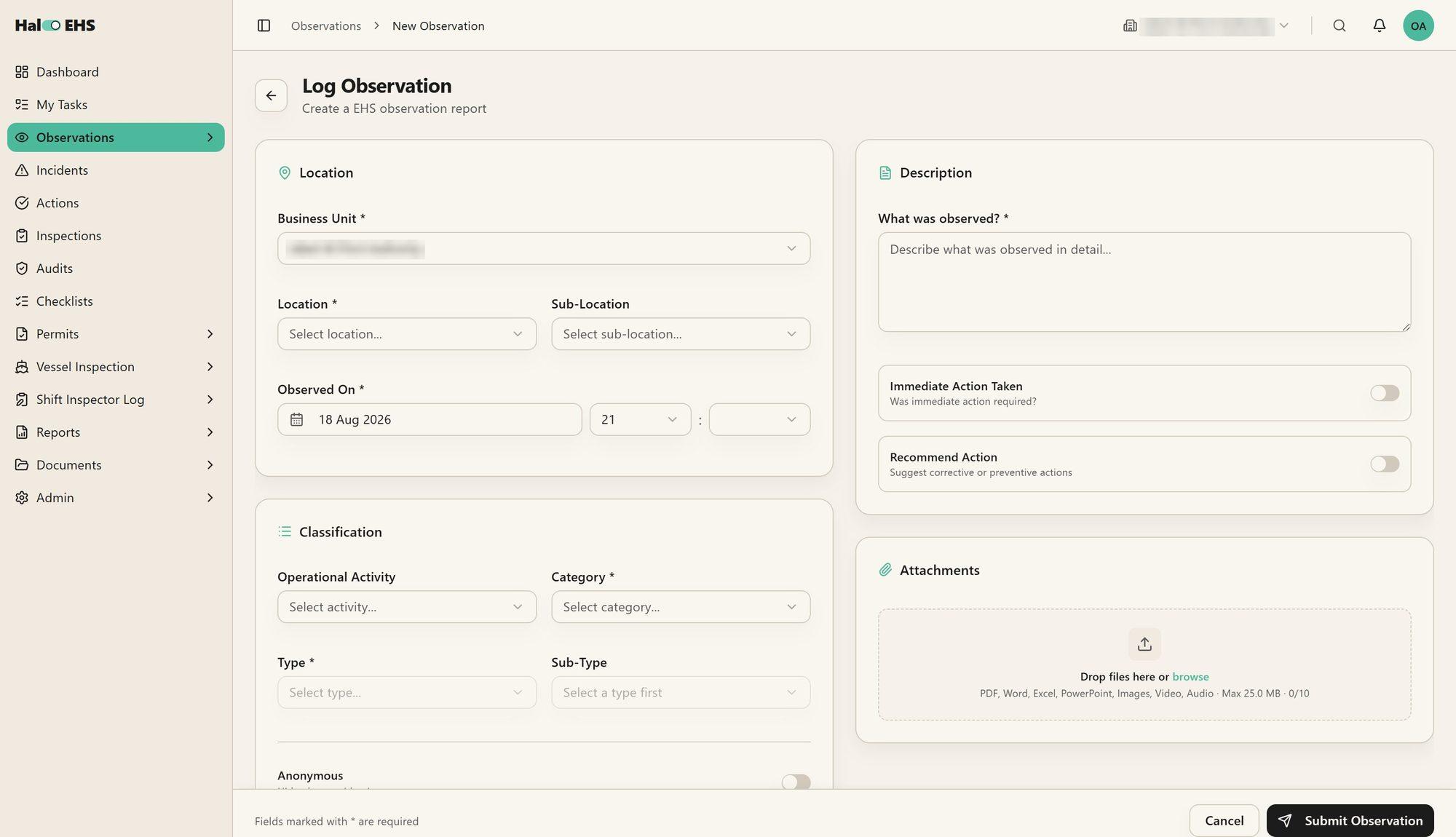
Observation report form with a live location map
From the first report to the closed action.
- Stop one / Report
Filing a hazard takes seconds, not a form session.
A worker opens HaloEHS in the browser on the phone they already carry, describes what they saw, and attaches a photo with the hazard annotated directly on the image. A title is drafted for them and a risk category is proposed. They confirm and it is filed, routed to whoever owns that area.- Guided reporting
- Annotated photo evidence
- AI-suggested title
- Anonymous option
 app.haloehs.com/observations/new
- Stop two / Investigate
An investigation that holds its shape.
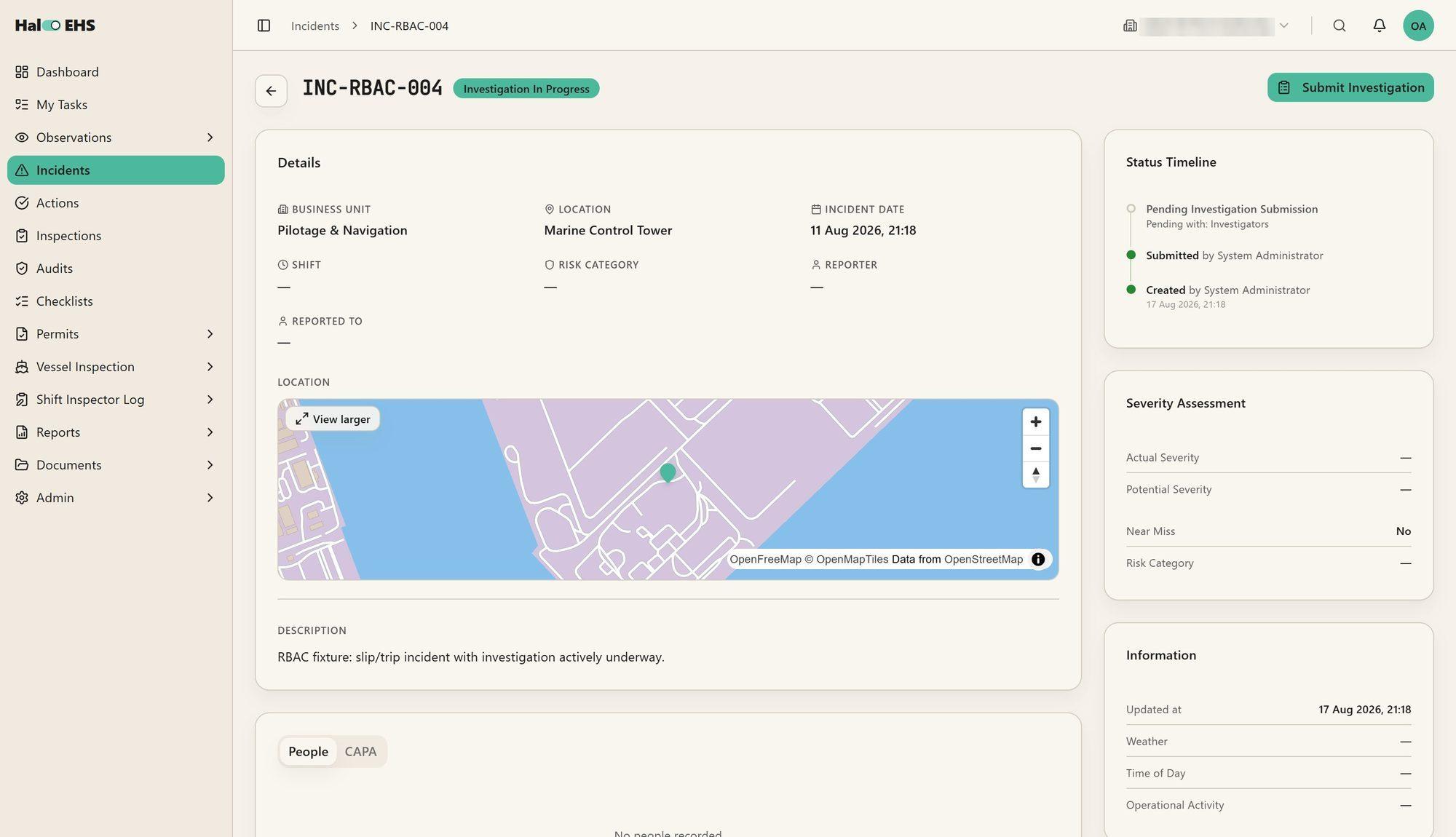
Incidents move through a reporting wizard, get a severity classification, and then run through a named methodology rather than a free-text box: 5-Why, PEEPO, ICAM or Smart-RCA. Findings become corrective actions with owners and due dates, and closure needs approval.- Severity classification
- 5-Why / PEEPO / ICAM / Smart-RCA
- CAPA generation
- Closure approvals
 app.haloehs.com/incidents/INC-26000004
- Stop three / Permit
High-risk work, permissioned at every transition.
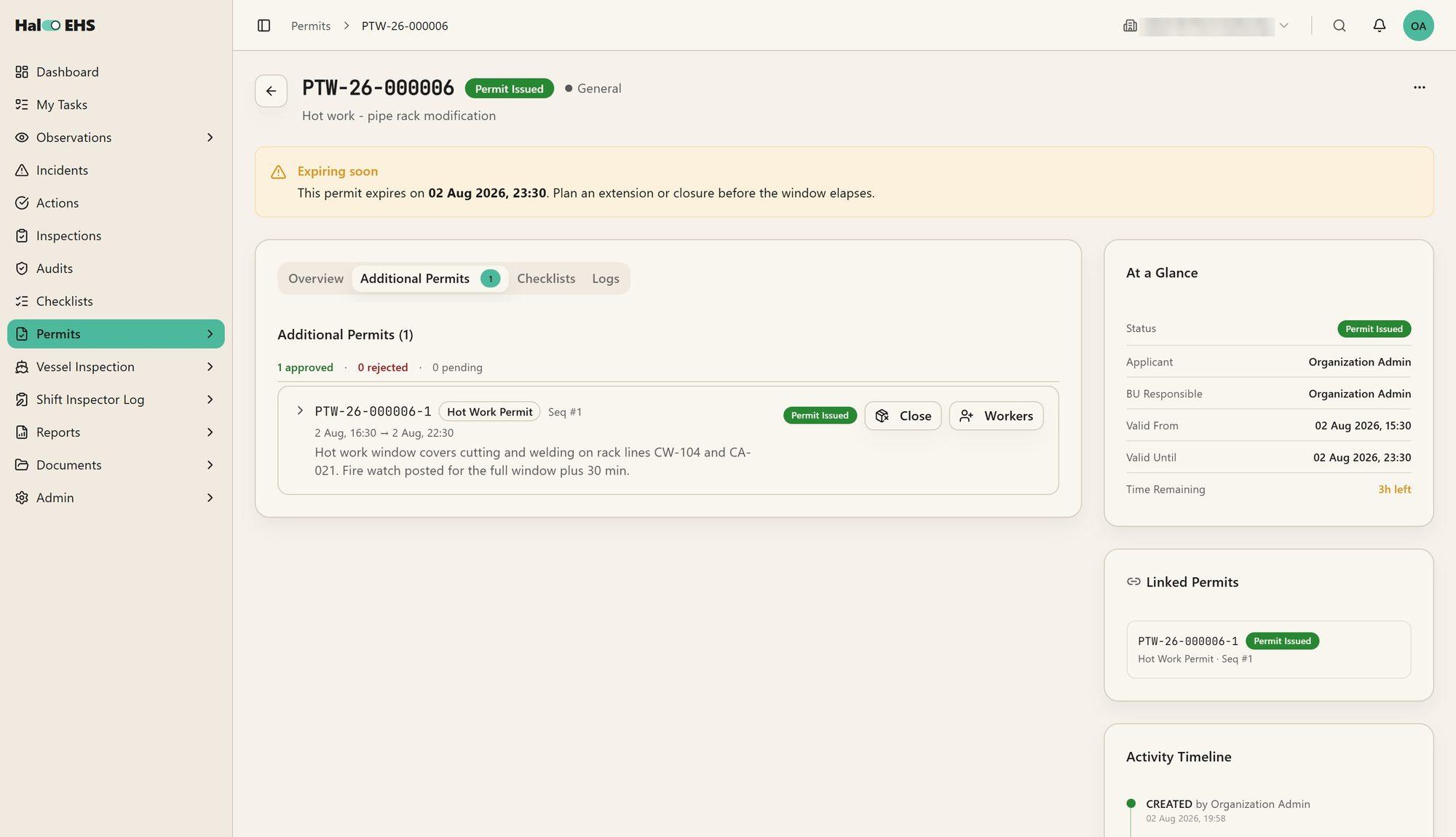
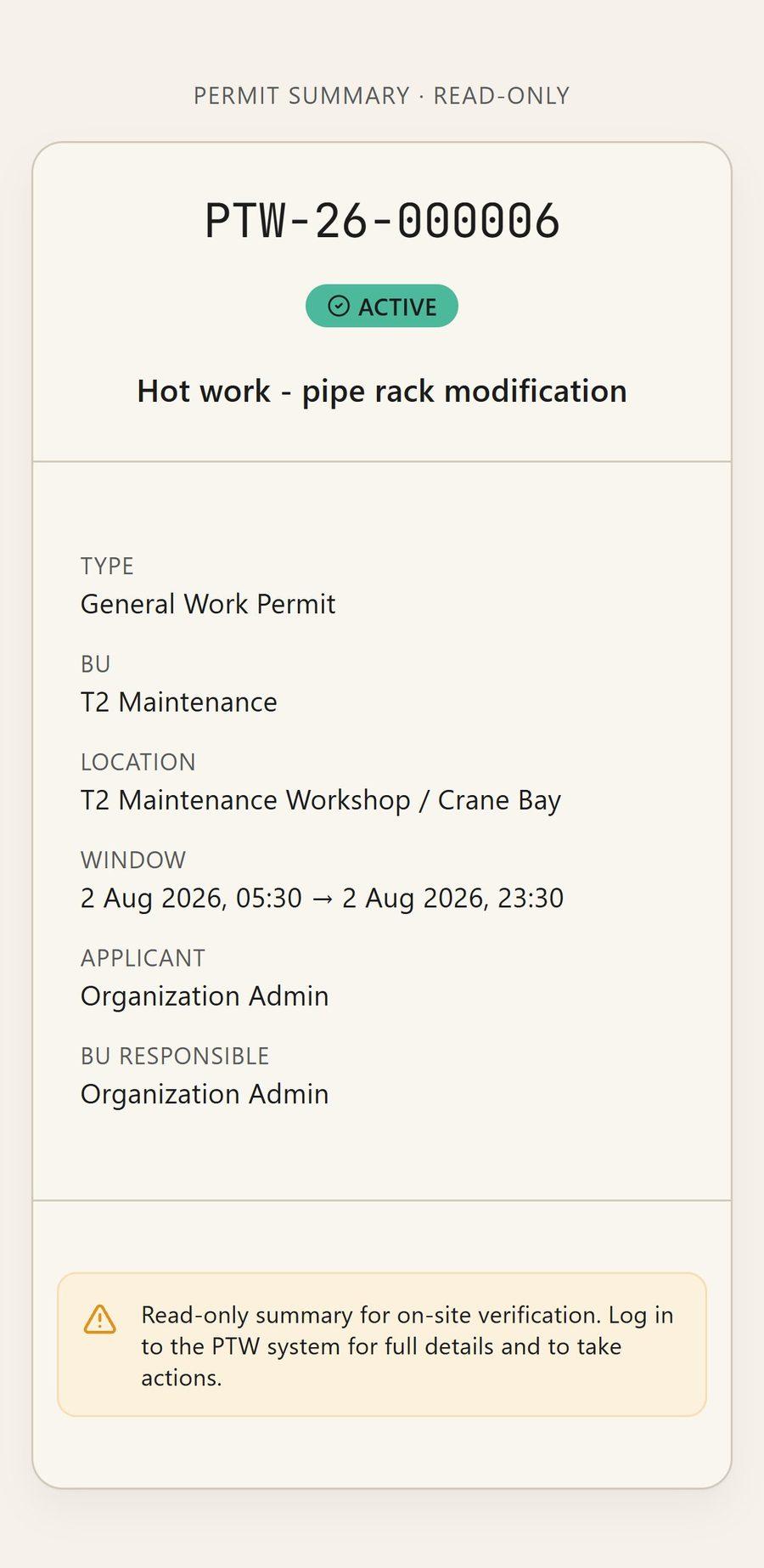
The permit lifecycle is a real state machine, not a status field. Approval matrices are configured per permit type and per business unit. Overlap detection flags conflicting work before it starts, and overriding it is an explicit, logged decision. Anyone on site can scan the permit QR code and see validity instantly, with no account.- Approval matrices
- Worker sign-on
- Isolation and entry/exit logs
- Live permit map
- Public QR verification
 app.haloehs.com/permits/PTW-26-000006
- Stop four / Audit
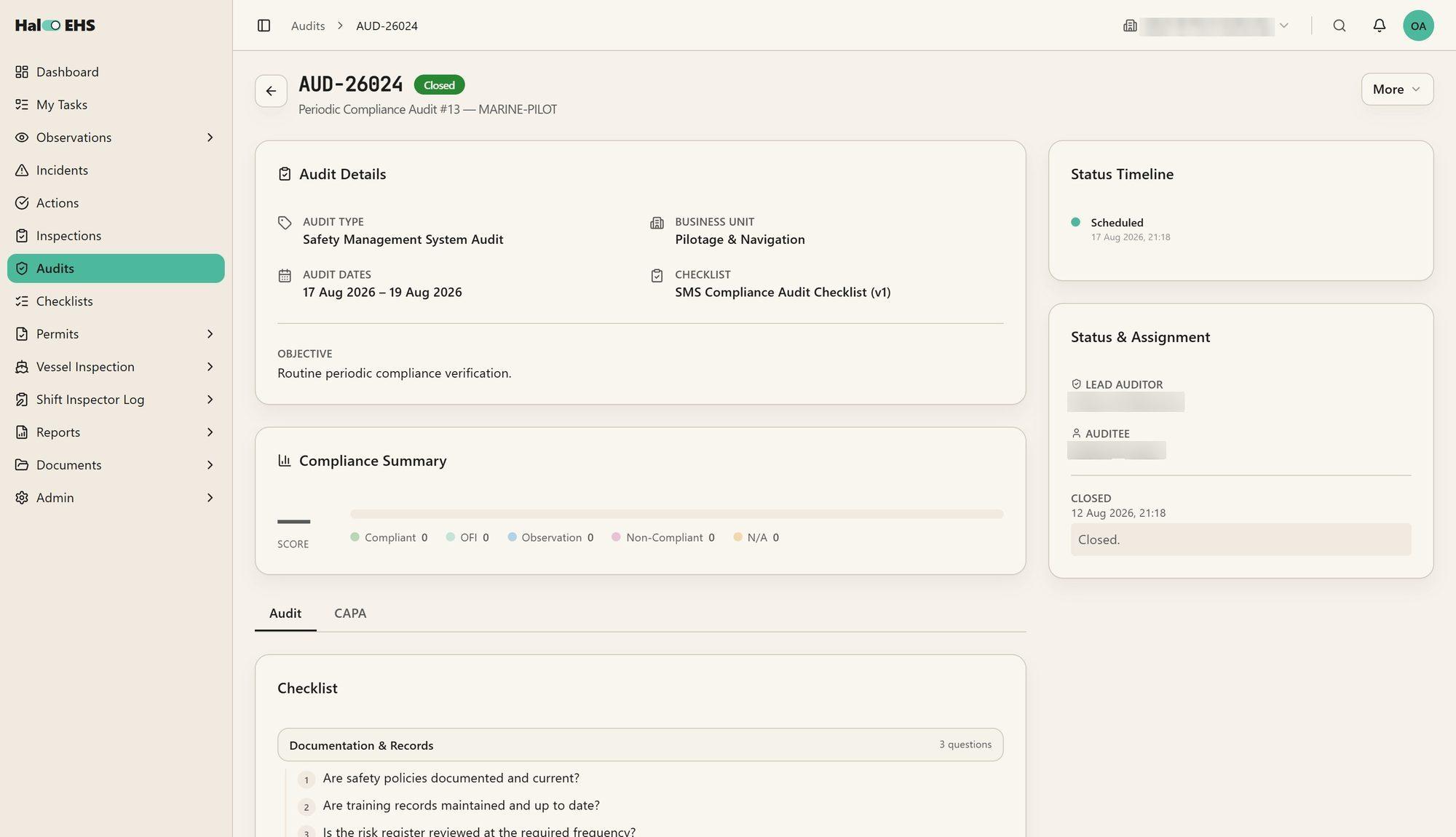
Audits several people can run at once.
Checklists come from a versioned builder, so a completed audit always shows the questions that were actually asked. Multiple auditors work the same audit simultaneously on different sections. External auditors get access that expires when the engagement does, and findings raise actions in one click.- Versioned checklists
- Recurring schedules
- Multi-auditor collaboration
- Time-bound external access
 app.haloehs.com/audits/AUD-26022/perform
- Stop five / Close
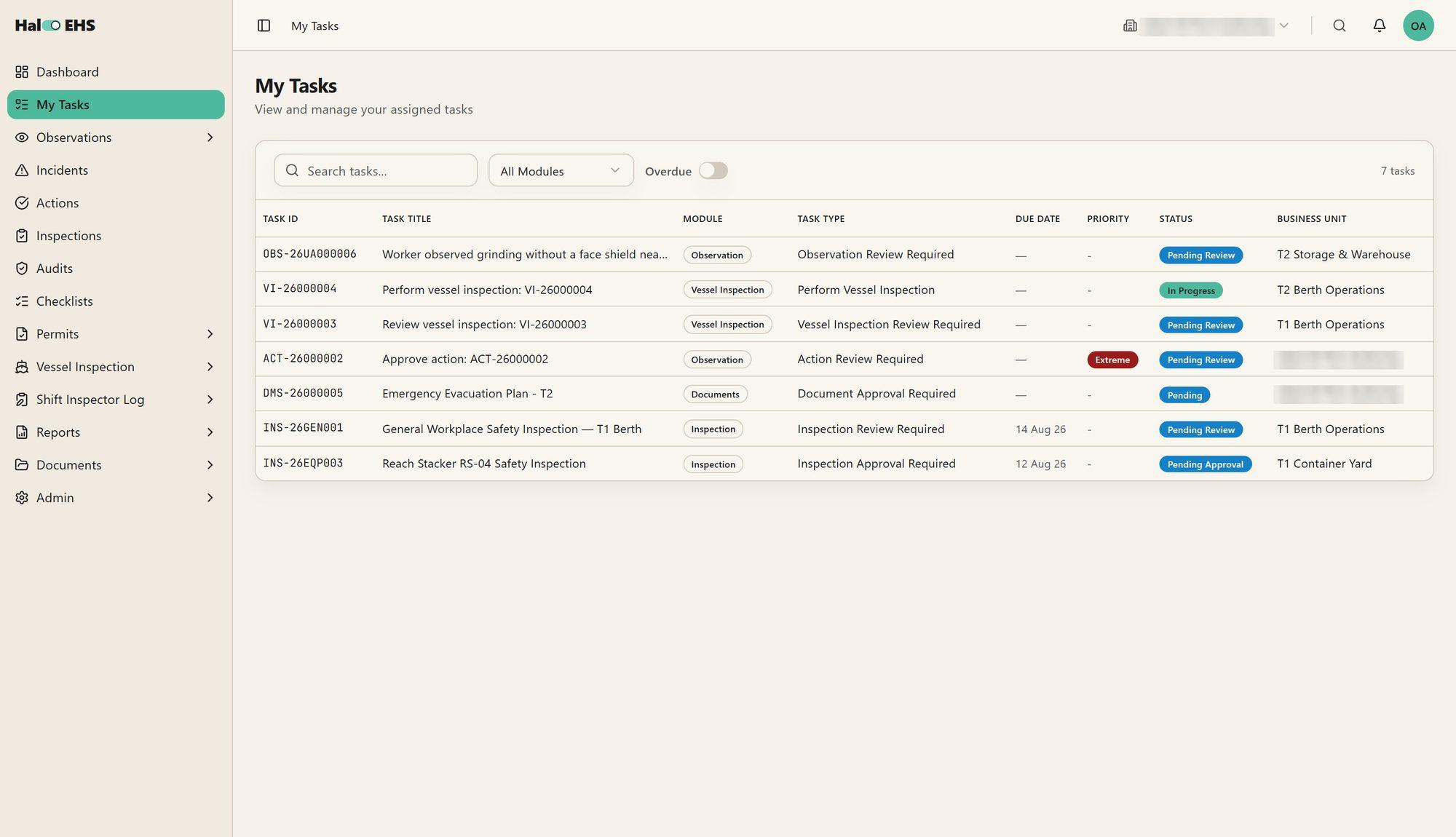
Everything lands in one inbox, and the report writes itself.
Corrective actions from every module queue in My Tasks with overdue tracking, and closure needs evidence rather than a checkbox. The reporting engine turns the resulting record into a scheduled PDF or Excel delivery, so the Monday meeting is assembled before anyone sits down.- Unified My Tasks inbox
- Evidence-based closure
- Scheduled PDF and Excel delivery
- Run logs with retry
 app.haloehs.com/my-tasks
A state machine, not a status field.
Every transition is permissioned, logged and signed. Anyone on site can scan a permit QR code to verify it is valid, right now.
- 01Draft
- 02Submit
- 03Review
- 04Approve
- 05Acknowledge
- 06Work in progress
- 07Closure request
- 08Closed
No logo wall. No invented numbers.
HaloEHS is a young product. Rather than borrow credibility with customer counts we cannot name or outcome percentages nobody can attribute, this page shows the workflows and lets them argue for themselves. When customers agree to be named, they will appear here, and not before.
Want to walk it with someone?
A demo runs on your sites, your business units and your language. Bring the workflow you think will break it.